
2026-07-18 Newly archived:Under Hard Tasks, Farming on Paper: Is “Focus Int… X RSS
VPN Tools / Archive No.17609

Free Archive | 2026 Latest Vultr VPS Purchase Tutorial [Illustrated]

Archive No.No. 17609
Source authorFree Archive
Archived date2026-05-25

【推荐新手】5种协议的Web VPN管理面板:https://github.com/iwantruncom/iwantrun.com-VPN-Web-Manager

一键安装5种协议VPN脚本https://github.com/iwantruncom/multi-protocol-vpn

一、注册账号:

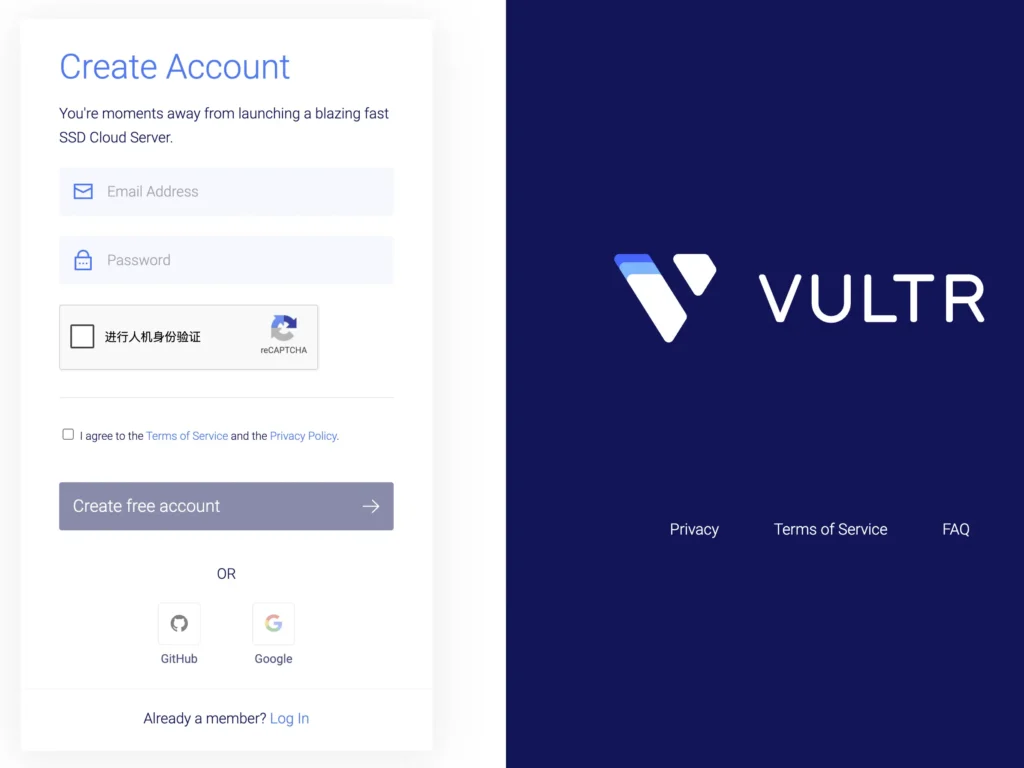
1、打开Vultr的官方网站:https://www.vultr.com/,右上角选择Sign up,如果英文有障碍,建议使用Chrome浏览器自动翻译网站内容。

2、填写你的邮箱和设置密码,填写可以接受验证码的邮箱,因为需要点击邮件链接激活账户。
二、购买VPS:

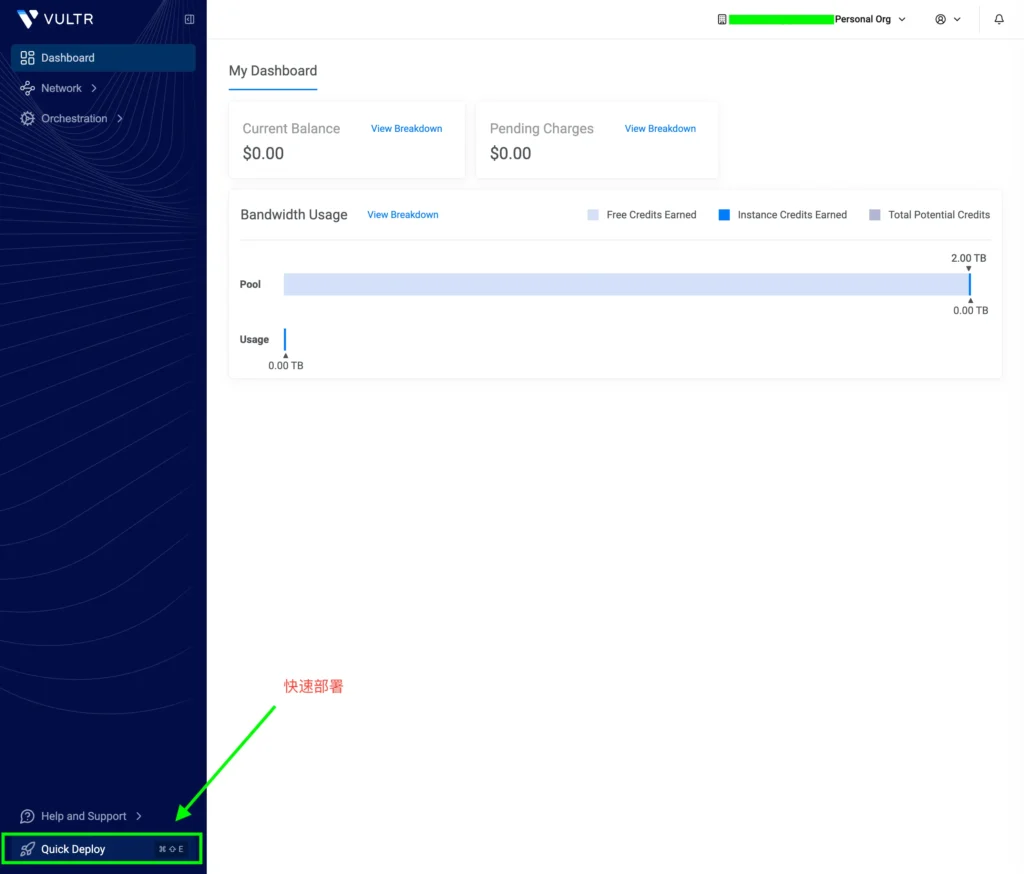
1、登陆账户以后,选择左下角的Quick Deploy进行快速部署。
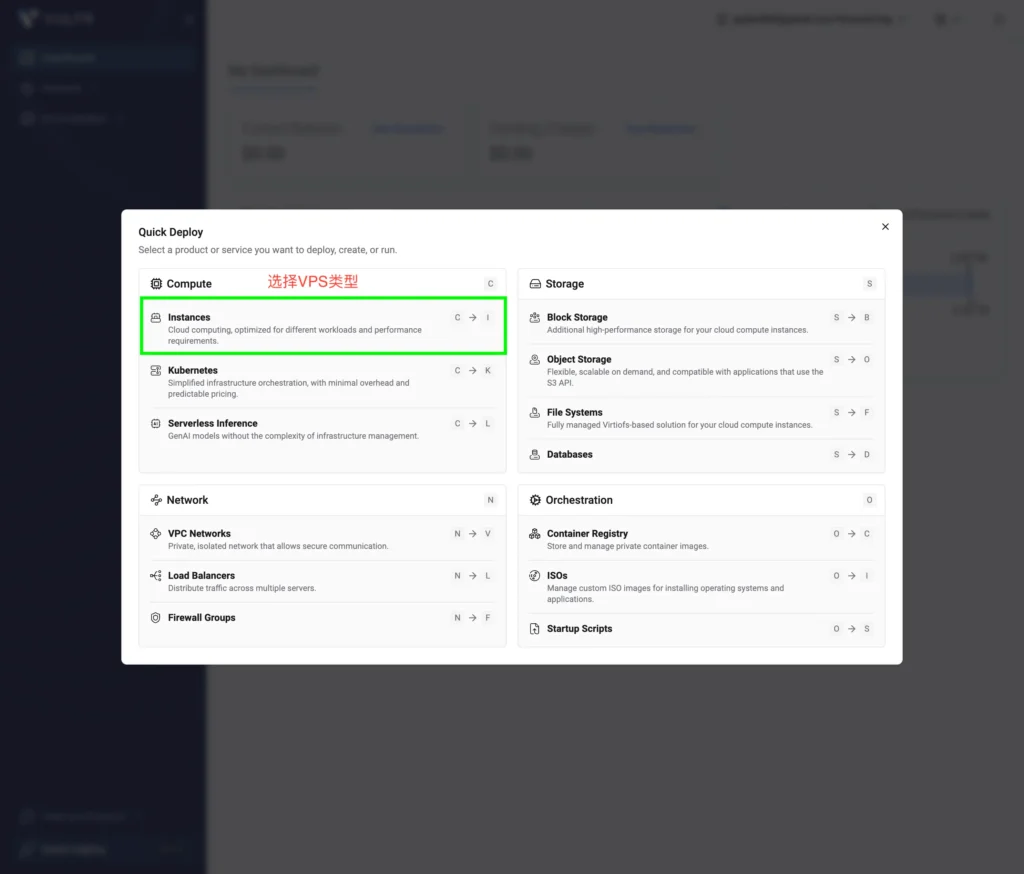
2、选择VPS类型。
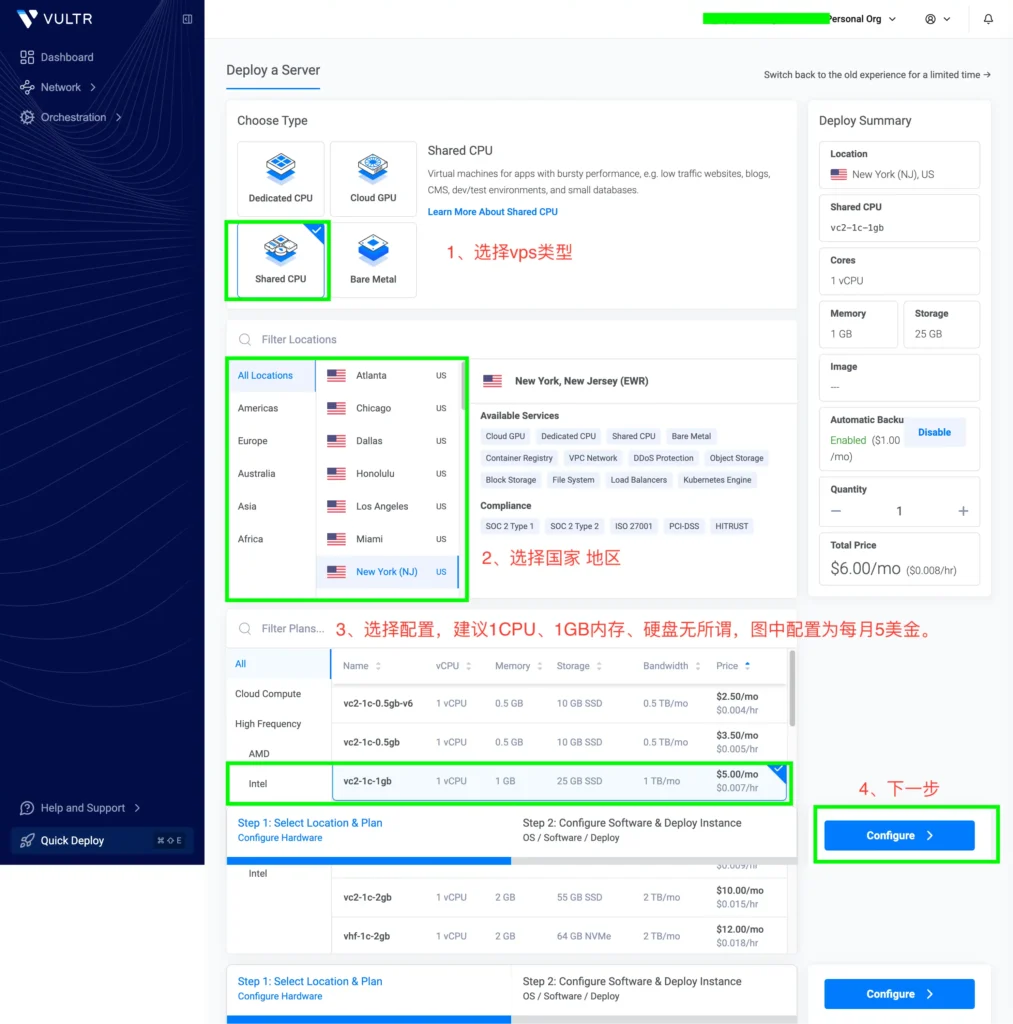
3、首先选择VPS的CPU,只是搭建VPN翻墙的话,选择Shared CPU即可,下面选择国家和地区,接下来选择配置,建议1CPU、1GB内存,硬盘无所谓,图中配置为5美金/每月,也可以选择更低价格的VPS。
4、选择VPS的系统,我们的VPN脚本在Ubuntu、Debian、CentOS测试过程中,都没有安装和使用问题,建议选择Ubuntu 22及以上系统。
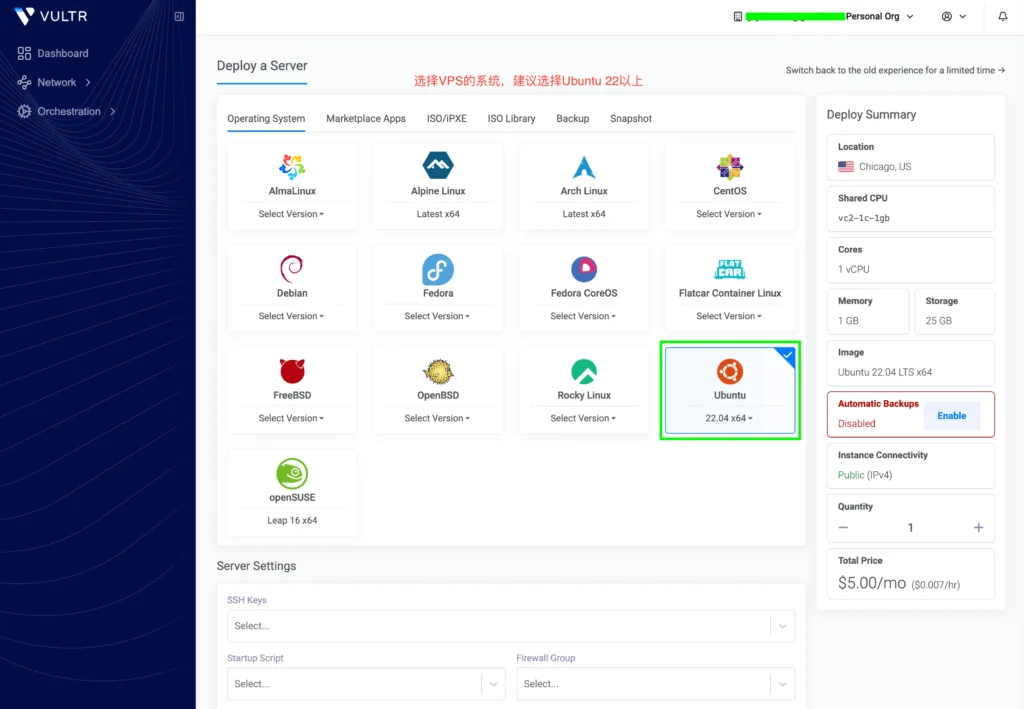
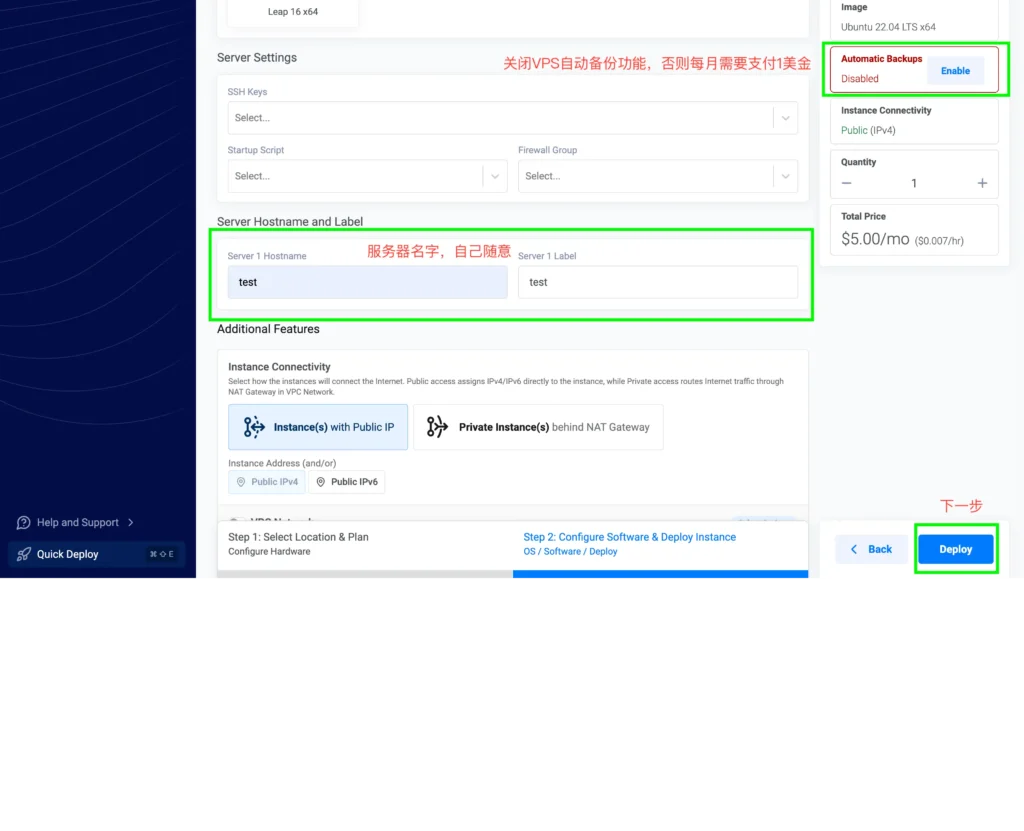
5、选择完系统以后,给自己的服务器随便起一个英文名,并关闭每个月需要1美金的自动备份功能。
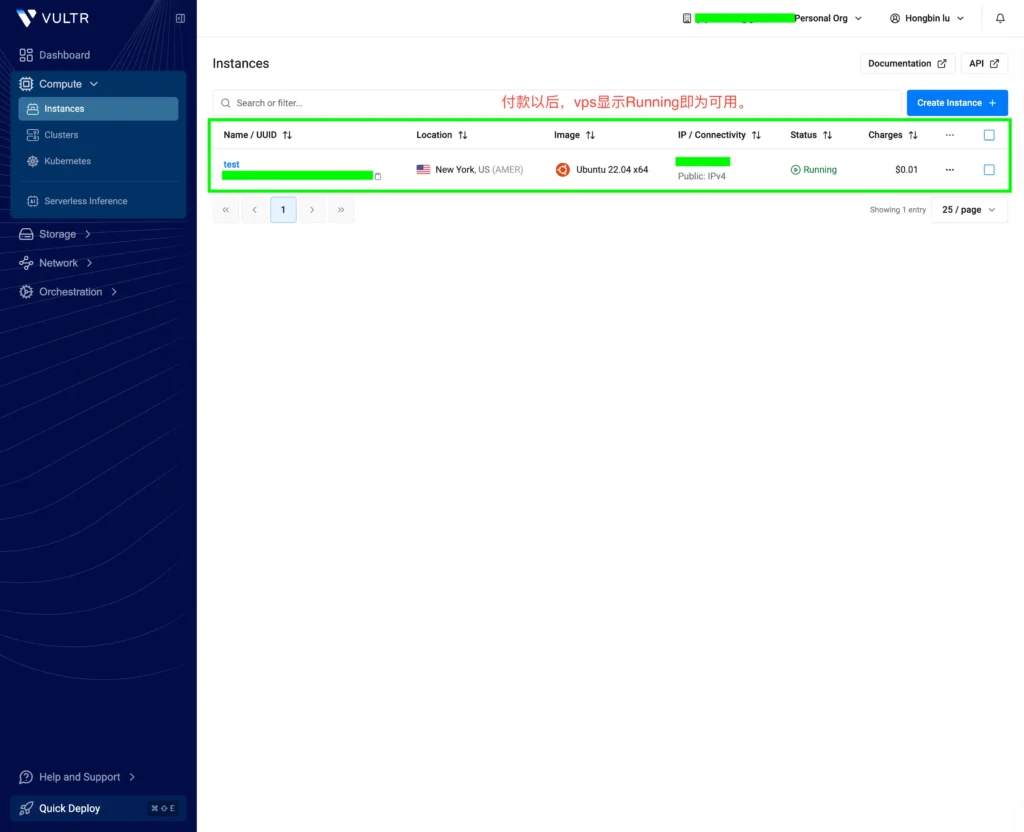
6、完成付款以后稍等片刻,系统状态显示Running代表VPS已经成功开通。
Discover more from 自由档案馆

Subscribe to get the latest posts sent to your email.

This is an archived copy. Copyright belongs to the original author. When republishing, please cite the archive number and this site.

Don’t let the next articlevanish before your eyes

Our domain may be blocked; subscribing is the most reliable way to find us. New archives delivered instantly.

Subscribe to Blog via Email

Enter your email address to subscribe to this blog and receive notifications of new posts by email.

If the main domain is unreachable, get the latest address via X or RSS.