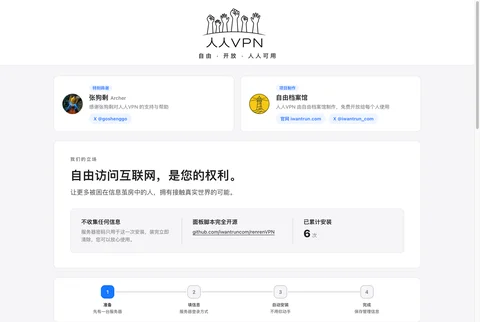


One sentence summary: Spend $10.88 (about 78 RMB) at DediRock to buy a one-year Los Angeles server, you can pay with Alipay; after purchase, you will receive the IP and password in an email, then go to theRenren VPN website and fill them in, and you can set up your own VPN in minutes. DediRock does not have a firewall by default, so you don't need to open ports after installation, and no commands need to be typed throughout the process.
Understand a few terms first (plain language version)
- VPS / Server:It is renting a computer that is placed in an overseas data center and runs 24 hours a day. You can’t see or touch it, but you can use it remotely. The VPN is installed on this computer.
- IP Address:This computer’s “house number” on the internet, looks like “
123.45.67.89.” - root:The server’s “administrator account name,” equivalent to Administrator in Windows. The default username for DediRock’s server is “
root.” - Operating System:The system installed on the server, similar to Windows on a computer. Choose “Ubuntu(a free, stable Linux system), 22.04, 24.04, and 26.04 are all fine. This article uses Ubuntu 24.04.”
- SSH / Port 22is a way to remotely connect to a server. Youdon't needto use it yourself; Renren VPN will help you connect. Keep the port at the default
22is fine.
Is this server worth buying?
| Project | Configuration | Description |
|---|---|---|
| Price | $10.88 / year | Approximately 78 yuan RMB per year, averaging over 6 yuan per month |
| Data Center | Los Angeles, USA | A US data center relatively close to China |
| Memory | 2 GB | More than enough for running VPN |
| CPU | 1 Core | Sufficient |
| Hard Drive | 30 GB SSD | Sufficient |
| Traffic | 2 TB per month | Enough for daily use by yourself and your family |
| Network Speed Port | 1 Gbps | Bandwidth limit on the server side |
| IP | 1 IPv4 | Required for VPN installation, already included |
| Payment Methods | Alipay, PayPal, Credit Card, Cryptocurrency | Can be purchased without an foreign currency credit card |
| Firewall / Security Group | Not included by default | Most friendly for beginners: After installing Renren VPN, you don't need to open ports in the merchant's backend |
Step 1: Open the purchase page and click Order Now
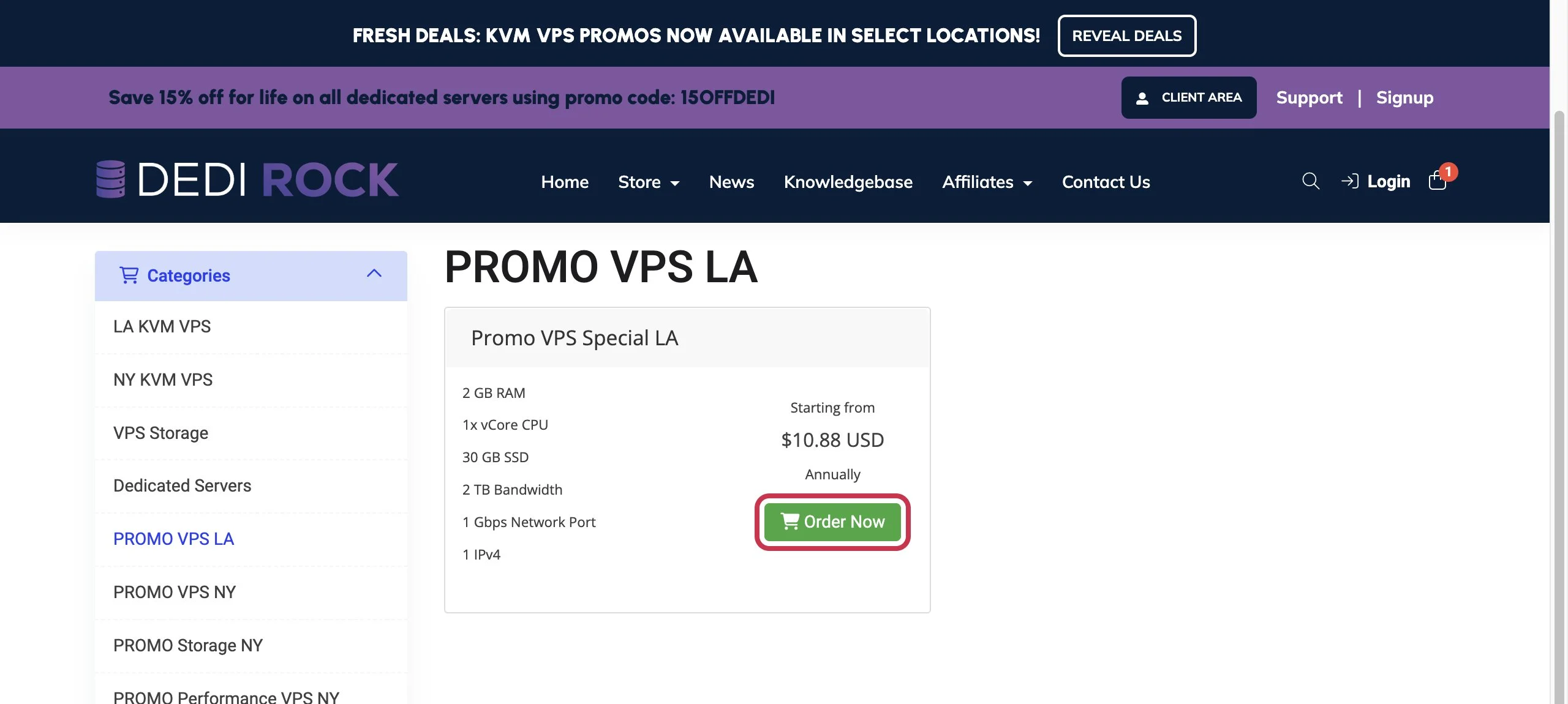
Open the activity page on your computer browser:https://billing.dedirock.com/index.php/store/promo-vps-los-angeles
There is only one package on the pagePromo VPS Special LA, priced at$10.88 USD Annually(Annually means "pay annually"). Click the greenOrder Now(Place order now).
Step 2: Select Configuration
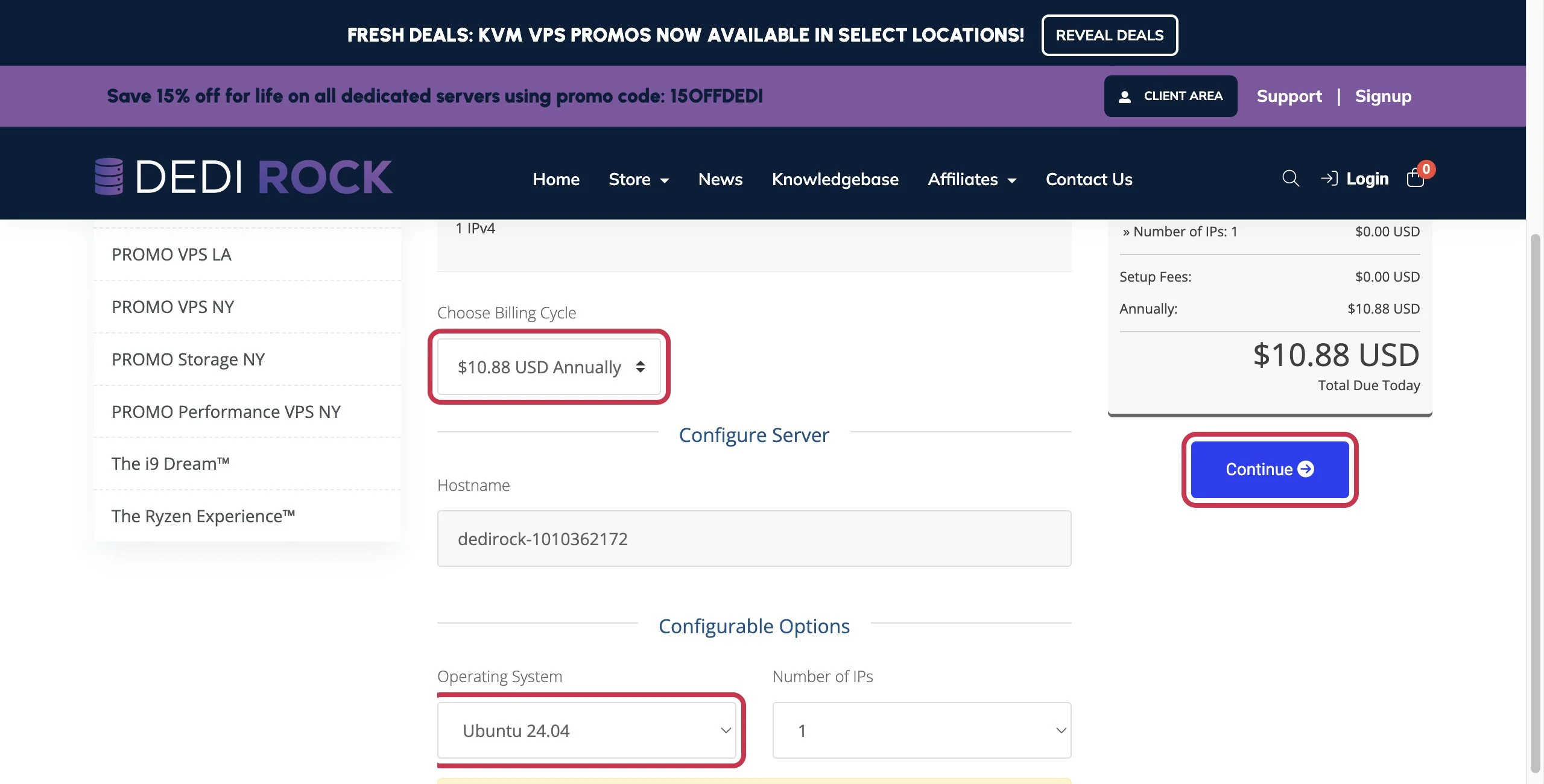
On this page, you only need to look at three places (red boxes in the image):
- Choose Billing Cycle: Keep it as
$10.88 USD Annually, no need to change. - Hostname: The system has automatically filled it in, which is the name given to the server.No need to change.”
- Operating System:Click the dropdown, select Ubuntu 24.04(You can also choose Ubuntu 22.04 or 26.04).
- Number of IPs: Keep it as1。Be sure not to select more than 2, as it will incur extra charges.
Confirm on the right that Total Due Today is $10.88 USD,then click the blue Continue.”
Step 3: Confirm the shopping cart, click Checkout
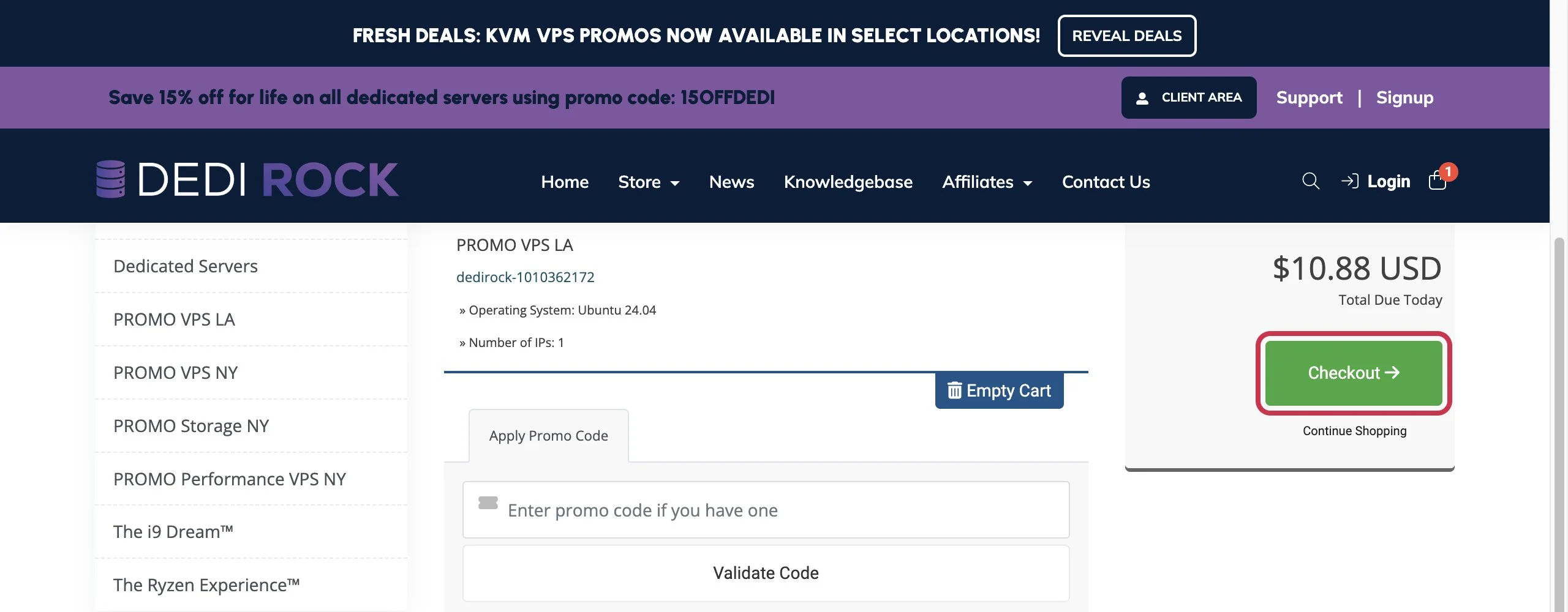
This page is the shopping cart, where you can see your selected PROMO VPS LA and Ubuntu 24.04.”Apply Promo Code Do not fill this in, just click the green Checkout.”
Step 4: Fill in personal information
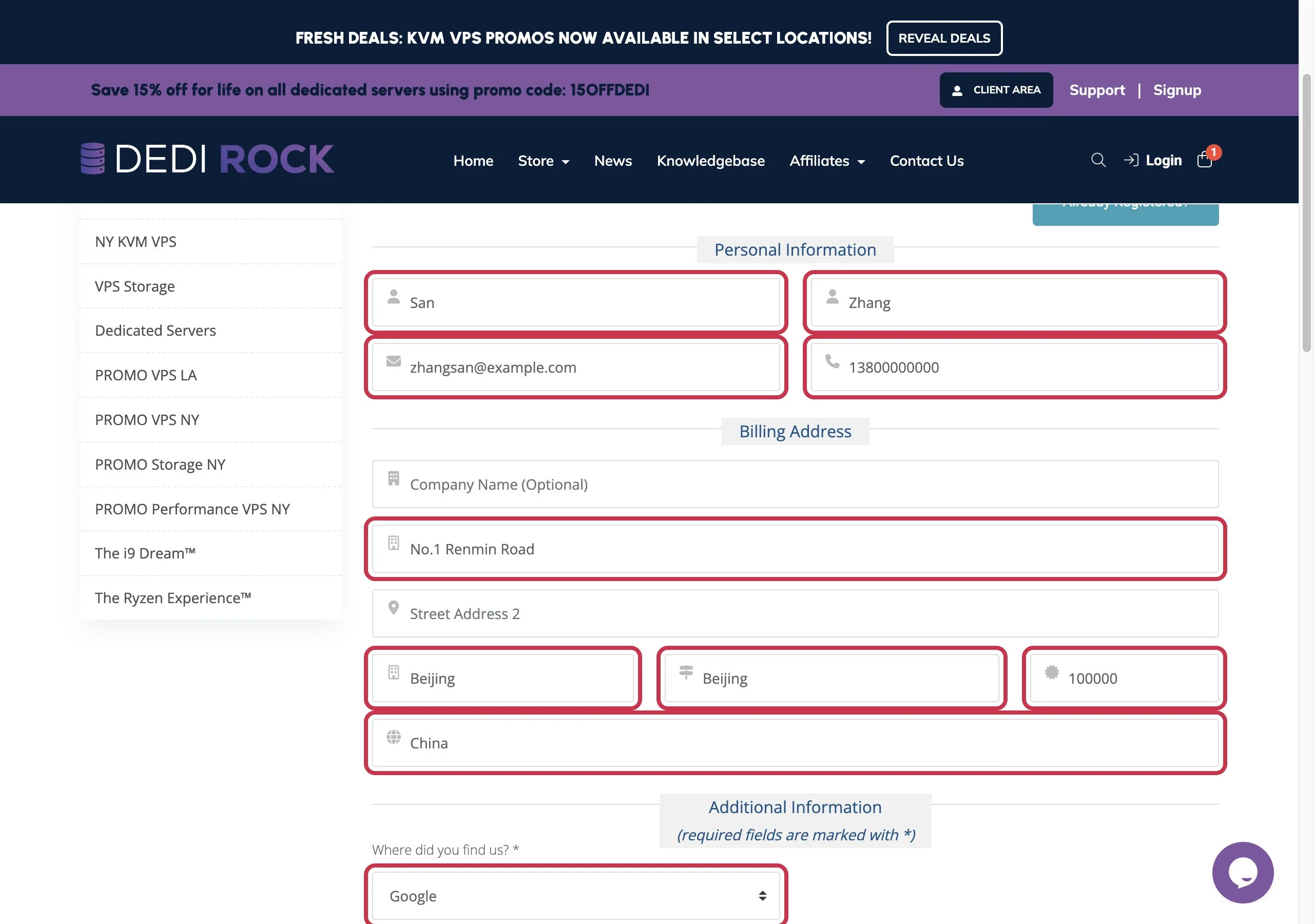
You need to register an account for your first purchase.It is recommended to fill in real information,filling in false information may cause the system to flag it as a suspicious order for review or cancellation. Fill in your name and address using Pinyin or English:
| English | Meaning | How to fill in (Example) |
|---|---|---|
| First Name | Given Name | San |
| Last Name | Surname | Zhang |
| Email Address | Be sure to use a real, accessible email address,the server password will be sent here | |
| Phone Number | Phone Number | Your phone number |
| Company Name (Optional) | Company Name (Optional) | No need to fill in |
| Street Address | Street Address | e.g. No.1 Renmin Road |
| Street Address 2 | Address Line 2 | No need to fill in |
| City | City | e.g. Beijing |
| State | Province / State | e.g. Beijing |
| Postcode | Postal Code | e.g. 100000 |
| Country | Country | Select China |
| Where did you find us? | How did you find us? | Select any option, for example Google |
Step 5: Set login password, select Alipay as payment method
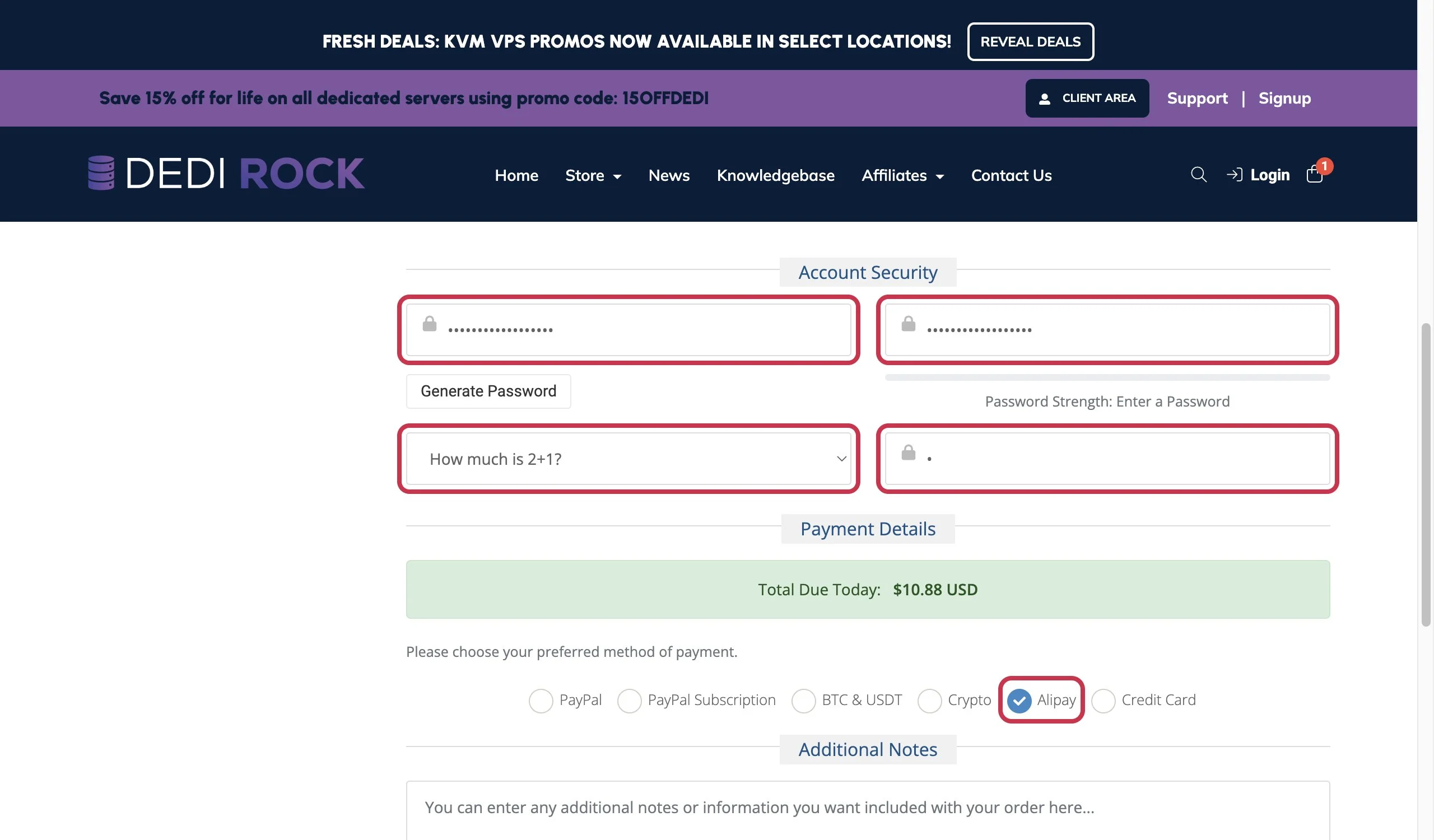
- Password / Confirm Password:Set the login password for your DediRock website account,fill in the same password in both boxes. You can also click Generate Password to have it automatically generated.Note: This is not the server password,it is used to log in to the DediRock backend later, remember it.
- Security Question How much is 2+1?:It asks “What is 2 plus 1?”, fill in
3.” - Payment Details:Select Alipay (Alipay).
Step 6: Agree to terms, submit order and pay
- Join our mailing list:You can choose Yes or No, it doesn't matter.
- Check the box for I have read and agree to the Terms of Service(I have read and agree to the Terms of Service)。
- If a verification code image appears, fill in the letters in the image into the box on the right.
- Click Complete Order.”
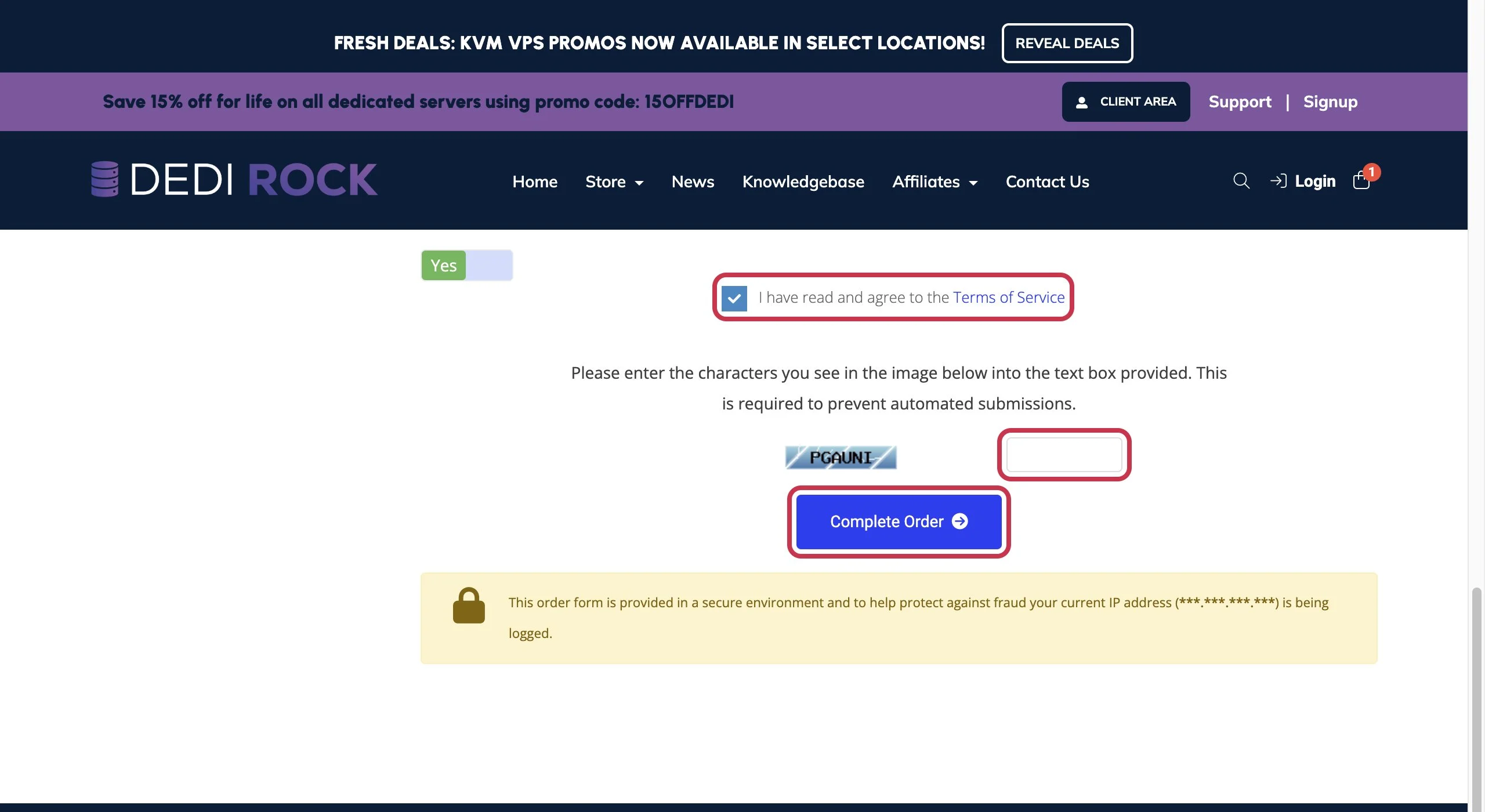
After that, it will jump to the payment page, use themobile Alipay scan codeto pay. The payment amount is 10.88 USD, and Alipay will automatically convert it to RMB for deduction.
Step 7: Check your email for the IP and password
After successful payment, DediRock will automatically activate the server,approximately 5 minuteslater, it will send an activation email to the email address you registered with.If you can't find it in your inbox, check your spam folder.
In the middle of the email,Server Detailsis what we need:
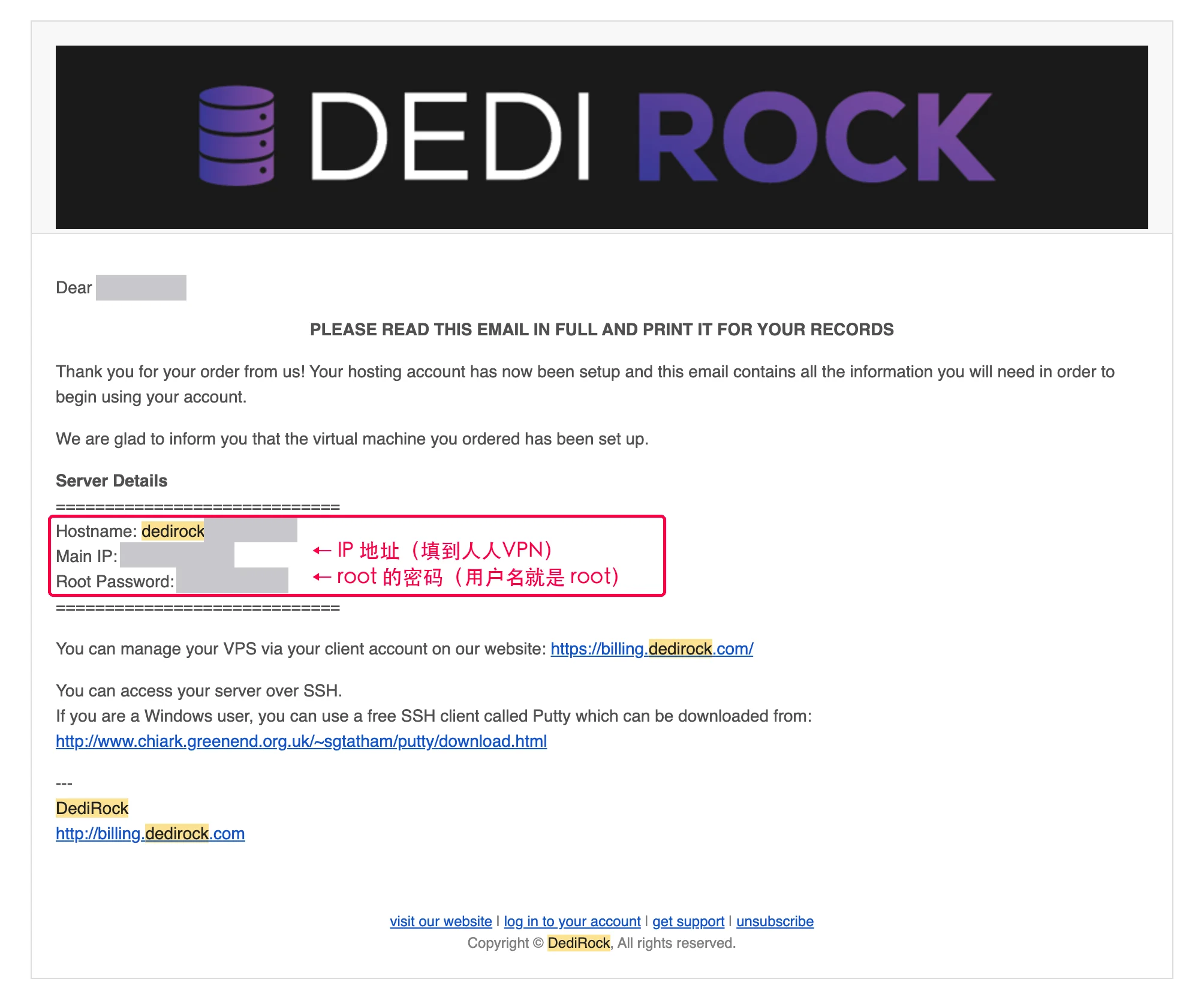
| The email states | Meaning | Fill in Renren VPN later |
|---|---|---|
| Main IP | Server IP Address | Server IP Address |
| (Not written in email) | Username defaults to root | Username:root |
| Root Password | Password for the root account | Password |
| (Not written in email) | Port defaults to 22 | Port Number:22 |
⚠️ The IP and password in this email are equivalent to the server's key. Do not screenshot and send to others, do not send to groups.
Step 8: Open Renren VPN, fill in information, and install with one click
Open with a computer browserhttps://renrenvpn.com/.”
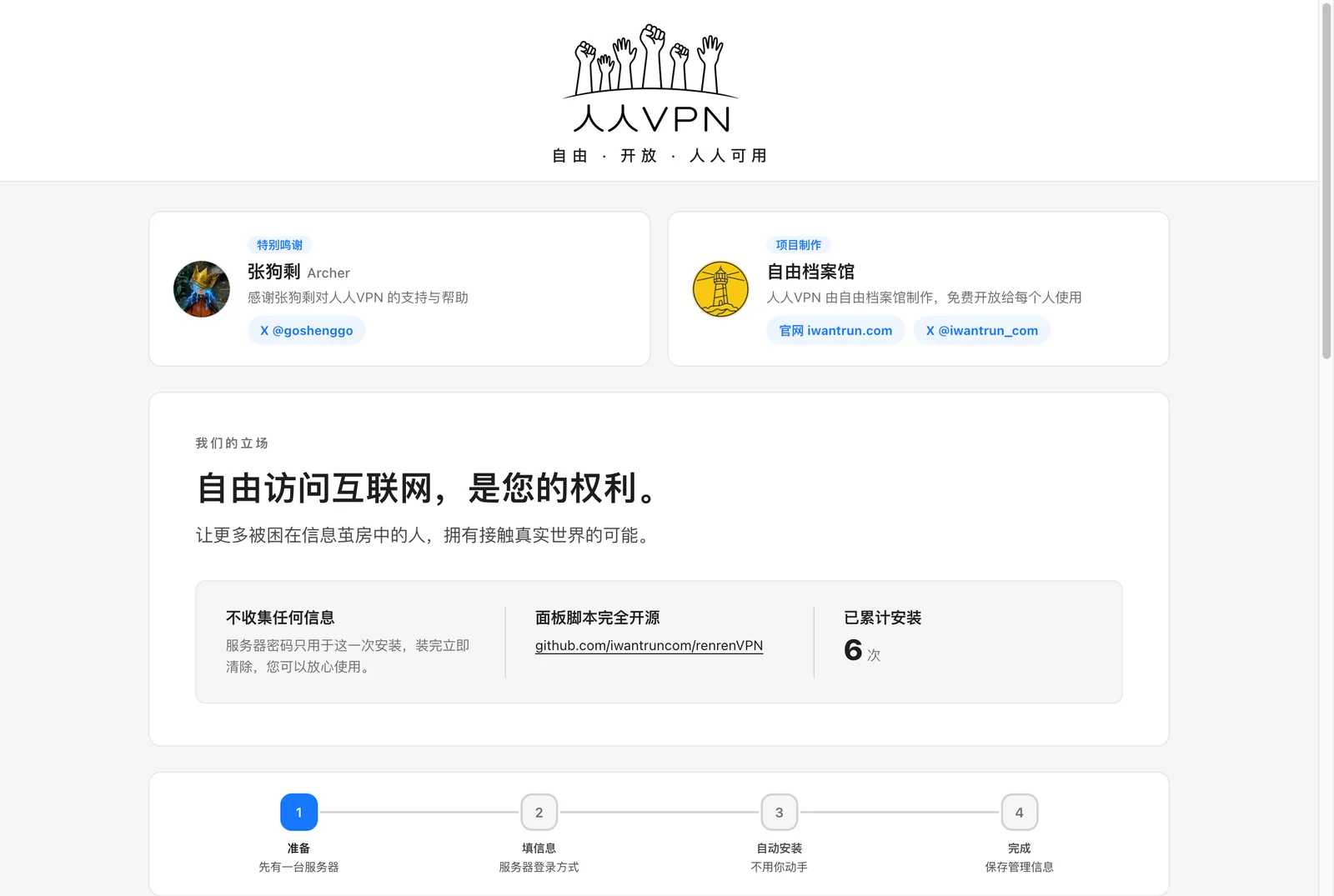
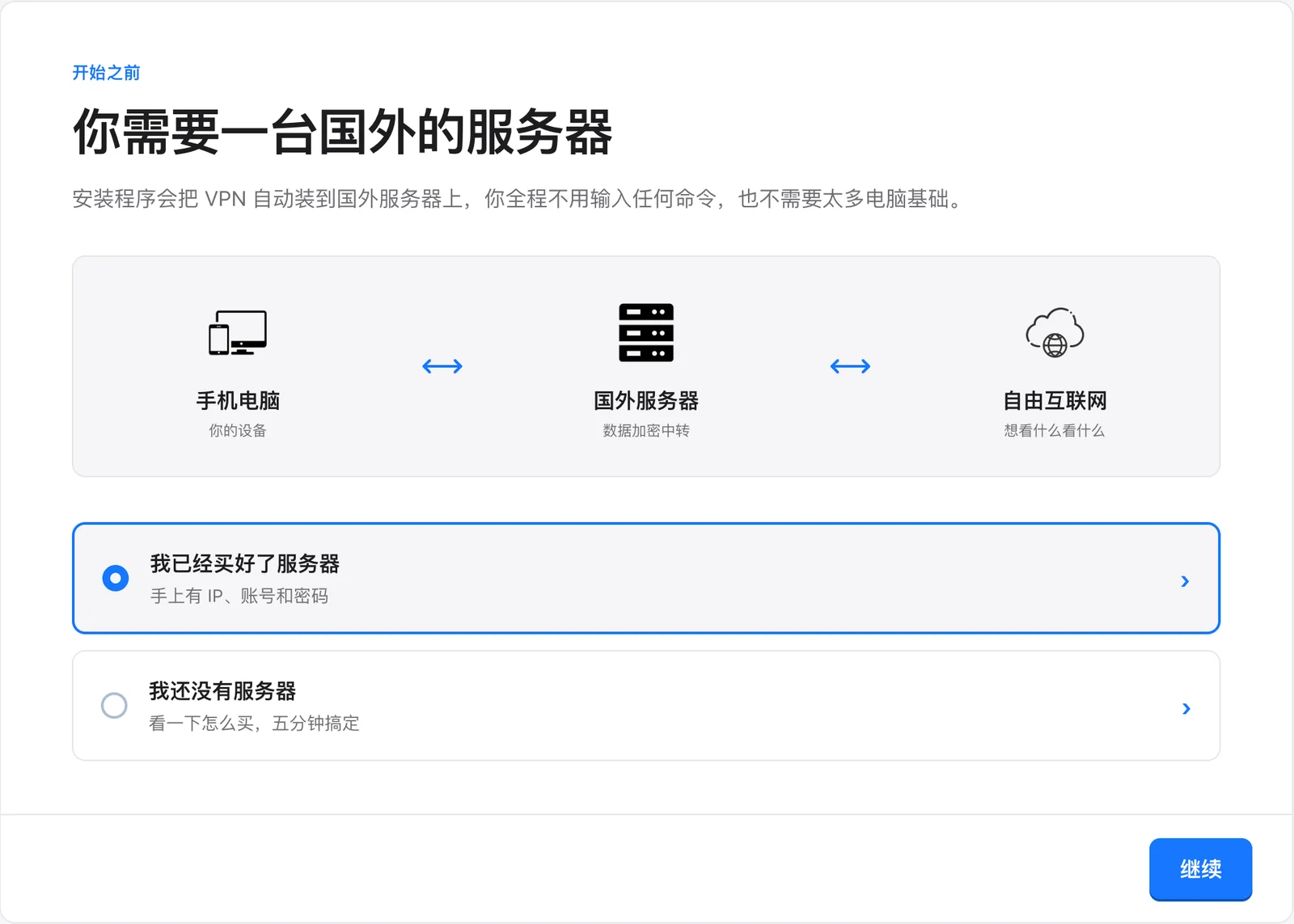
Scroll down to “Before You Start”, select I have already bought the server,click the bottom right to continue.
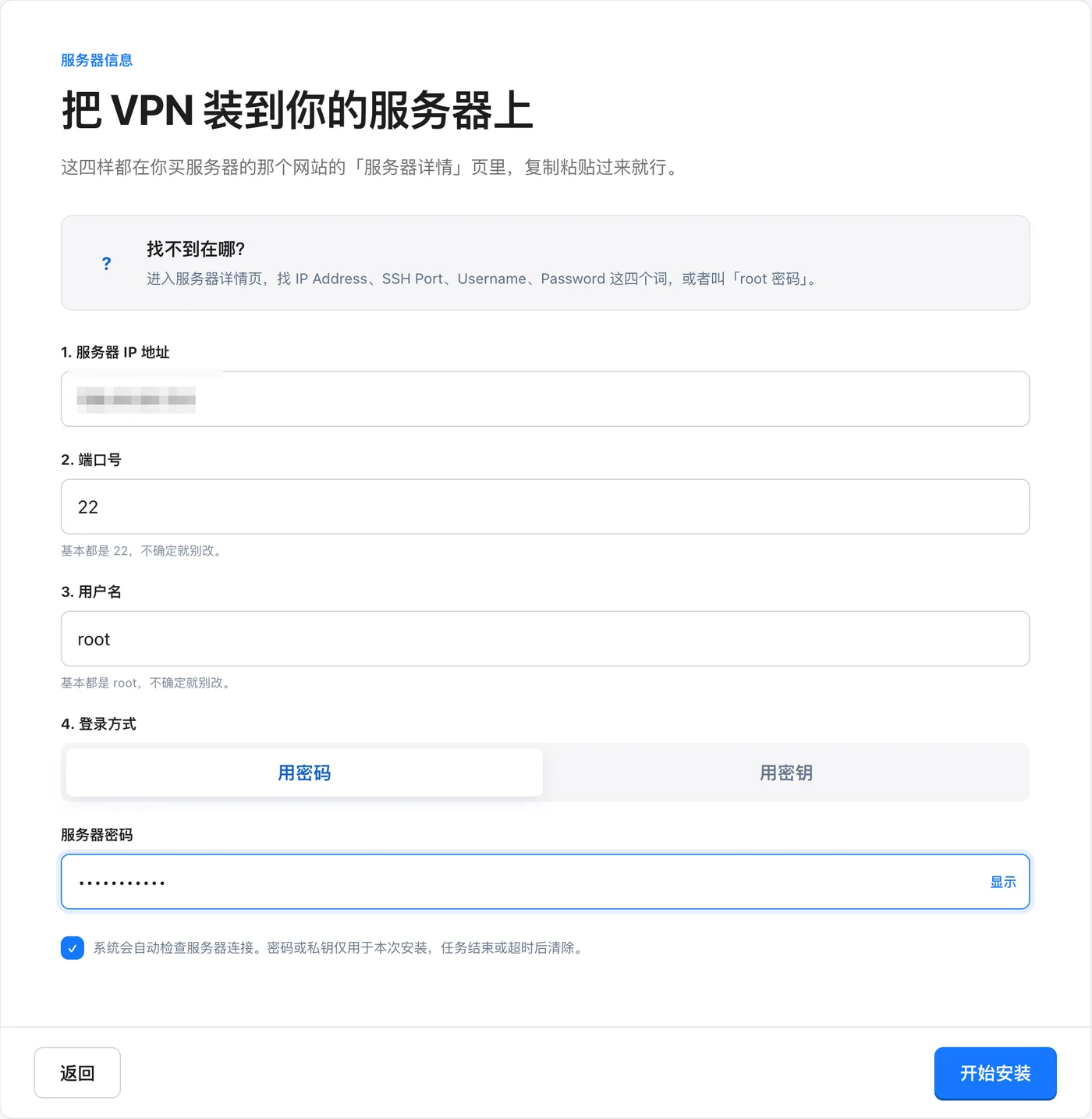
Fill in the information from the email:
- Server IP Address:Fill in from the email Main IP.”
- Port number:Keep default
22.” - Username:Keep default
root.” - Login method:Select “Use password”, fill in from the email Root Password.”
Wait for the blue checkmark to appear for human verification at the bottom of the page, click the bottom right Start installation.”
Next is fully automatic: first check the server, then automatically install, about 3~5 minutes,do not close the page during this period. You have succeeded when you see “Your VPN is installed”.
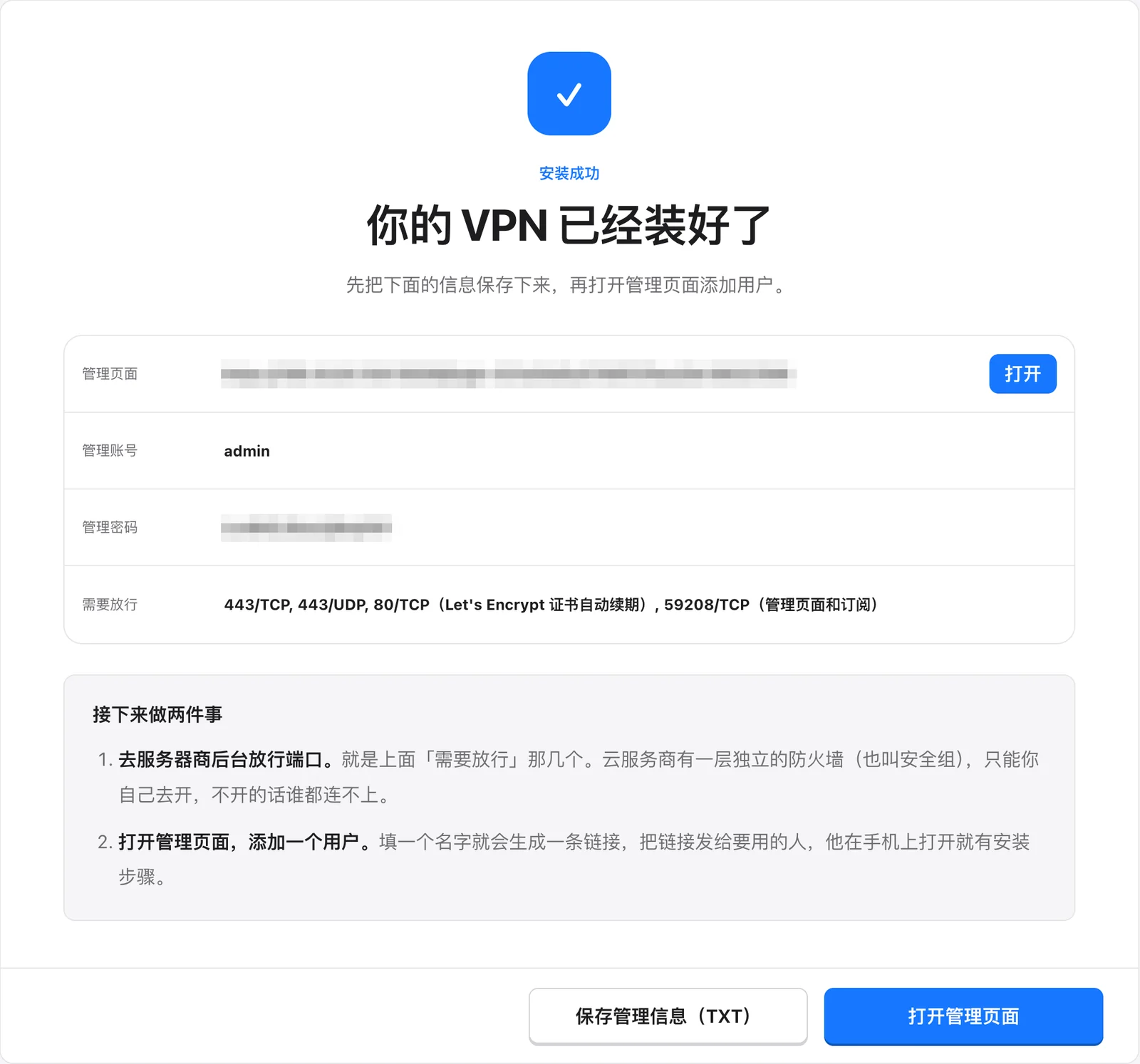
⚠️ The management password will only be displayed this time! Immediately click “Save management information (TXT)” to download, or take a screenshot to save.
✅ DediRock servers do not have a firewall/security group by default,so the ports prompted on the人人VPN installation success page that “need to be allowed”,No need to manually enable it in the merchant backend,it can be used directly after installation. Many other merchants have to do this extra step, which is also the main reason for recommending DediRock to beginners.
How to log in to the management page, add users, connect on mobile and computer, and share with family later, please continue to read the full tutorial:Renren VPN Illustrated Tutorial: Build your own VPN in minutes without typing a single command.”
Frequently Asked Questions
1. Haven’t received the email long after payment?
Normally, you should receive it in about 5 minutes. If it’s been over half an hour, check your spam folder first. If it’s still not there, log in with your registered email and password.DediRock Customer Backend , check server status in Services (My Services); new accounts occasionally require manual review, you can submit a support ticket in the backend to ask customer service.
2. What if I choose the wrong system?
Log in to the DediRock customer backend, go to the management page of this server, and you can reinstall the system (Reinstall) and reselect Ubuntu 24.04. The root password may change after reinstallation, use the new password to reinstall on Renren VPN.
3. What happens after one year expires?
DediRock will send you a renewal bill email before expiration, just pay according to the email instructions; if you don't want to renew, you don't need to pay.
4. Installed but cannot connect?
First, click “Check and Repair” on the Renren VPN management page, then refer to the complete tutorialFrequently Asked Questions.”